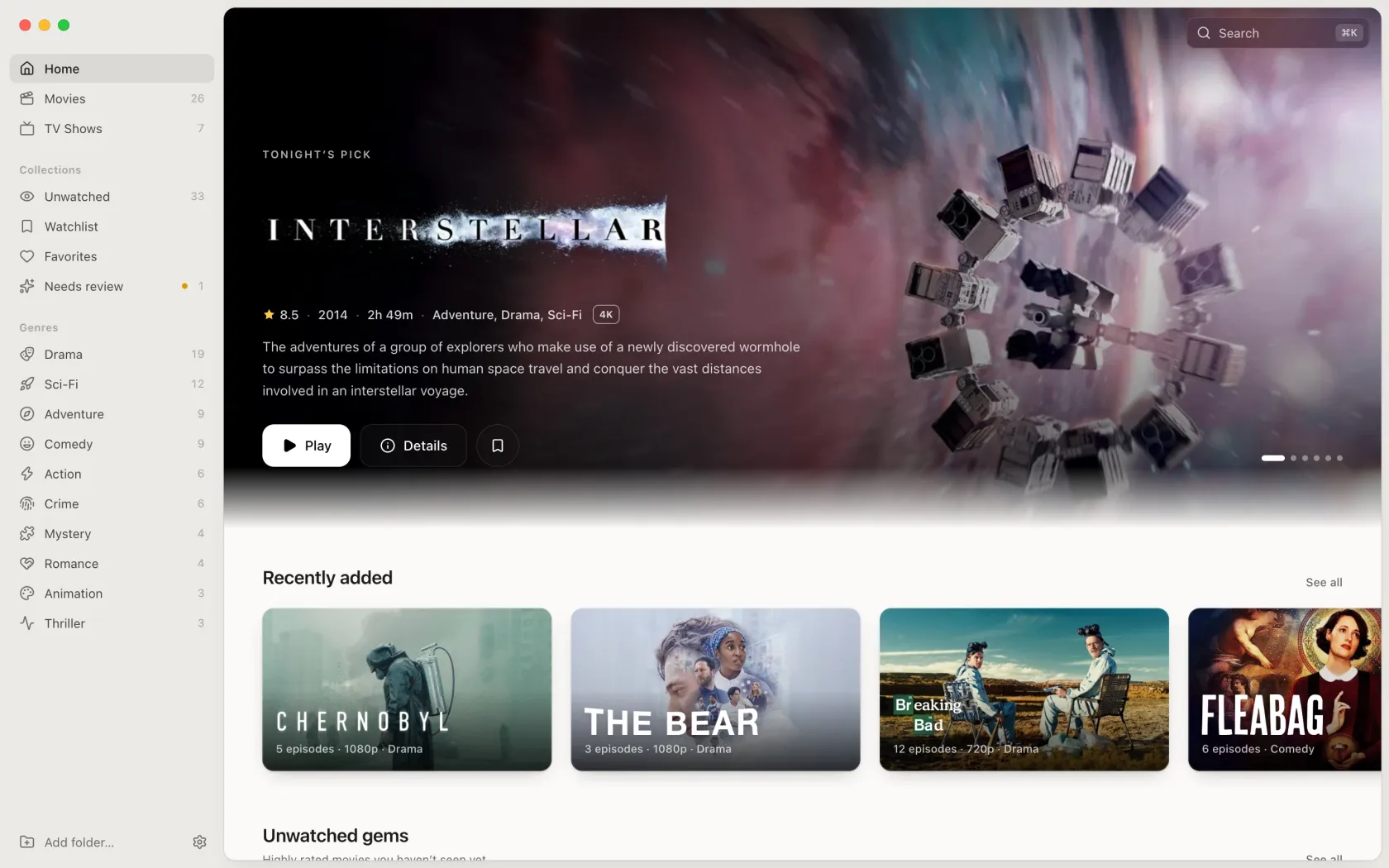
Your movies, beautifully organized. Drop in a folder, get back posters, artwork and episode guides.
Version 2.0 alpha · Release notes
macOS 13 or later · Apple Silicon and Intel
Free and open source · No account · Your files never leave your disk
How it works
Messy file names in. A clean library out.
Movie Monkey reads release names the way you would. It knows Dune (1984) from Dune (2021), the British Office from the American one, and that a file called movie.mkv inside Heat (1995) is Michael Mann’s heist film.
Interstellar.2014.2160p.UHD.BluRay.x265.10bit.HDR.DTS-HD.MA.5.1-SWTYBLZ.mkvInterstellar2014 · Movie4KHDRHeat (1995)/movie.mkvHeat1995 · MovieArrival.2016.1080p.BluRay.x264-SPARKS/sparks-arrival-1080p.mkvArrival2016 · Movie1080pBreaking Bad/Season 1/01 - Pilot.mkvBreaking BadS1 E1 · “Pilot”The.Office.UK.S01E01.mkvThe Office (UK)2001 · S1 E1Dune.1984.1080p.BluRay.x264.mkvDune1984 · not the 2021 one1080p[SubsPlease] Sousou no Frieren - 05 (1080p).mkvFrieren: Beyond Journey’s EndEpisode 51080p
Drop a folder
Any folder, nested as deep as you like. External drives too.
It does the rest
Every movie and episode identified in seconds, with posters, logos and backdrops.
Press play
Opens in the player you already use. Watched state is remembered.
Features
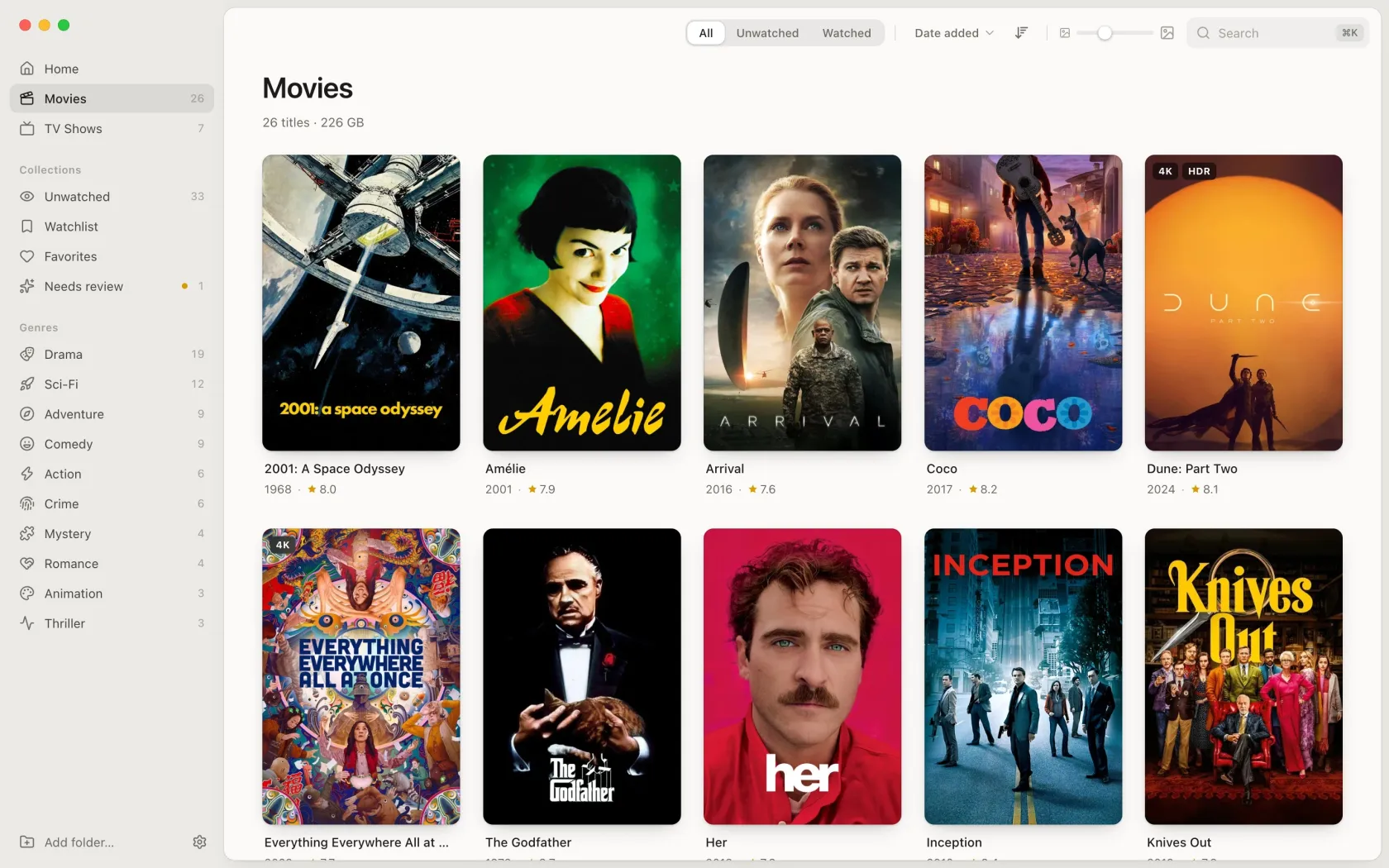
Every title gets a cinematic page. Logo art, backdrops, ratings, cast and the details collectors care about.
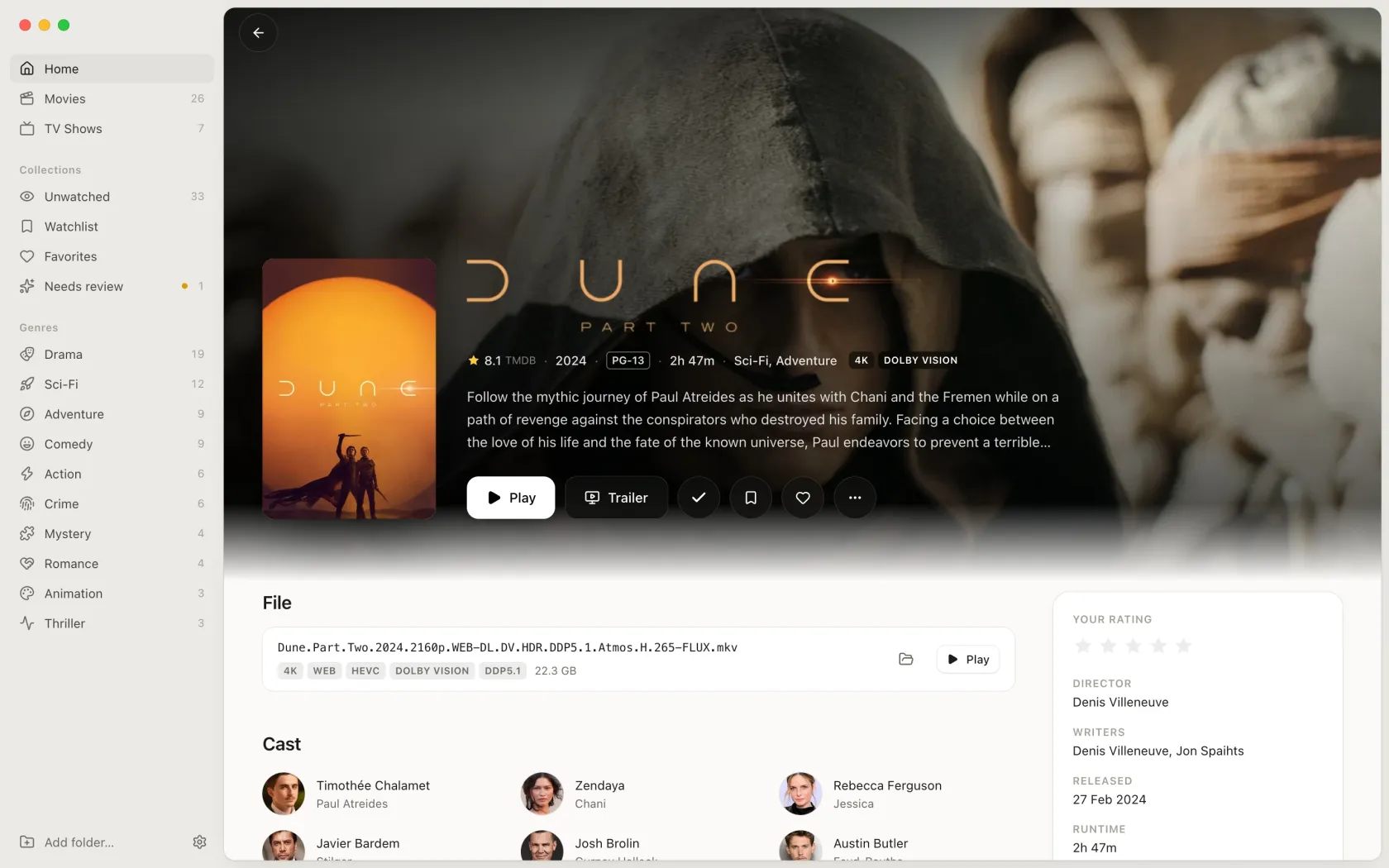
4K, HDR, Dolby Vision. Read straight from your file names, shown as badges.
Editions and splits. Director’s cuts, extended editions and CD1/CD2 files are grouped correctly.
Trailer, TMDB, IMDb, Finder. One click away from every title.
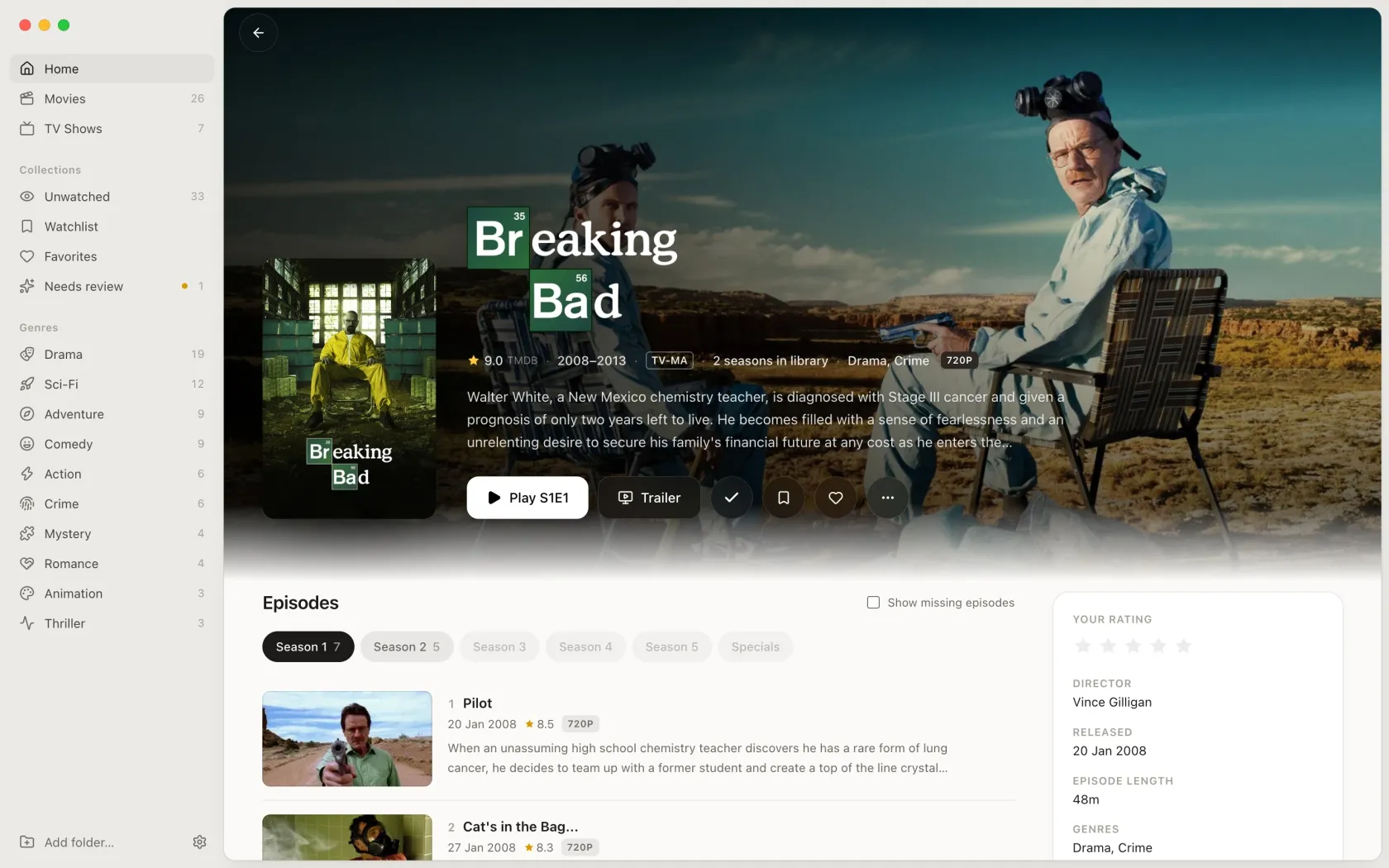
Shows, episode by episode.
A full episode guide with stills and air dates. Mark episodes watched one at a time or a whole show at once, and Movie Monkey picks up exactly where you left off.
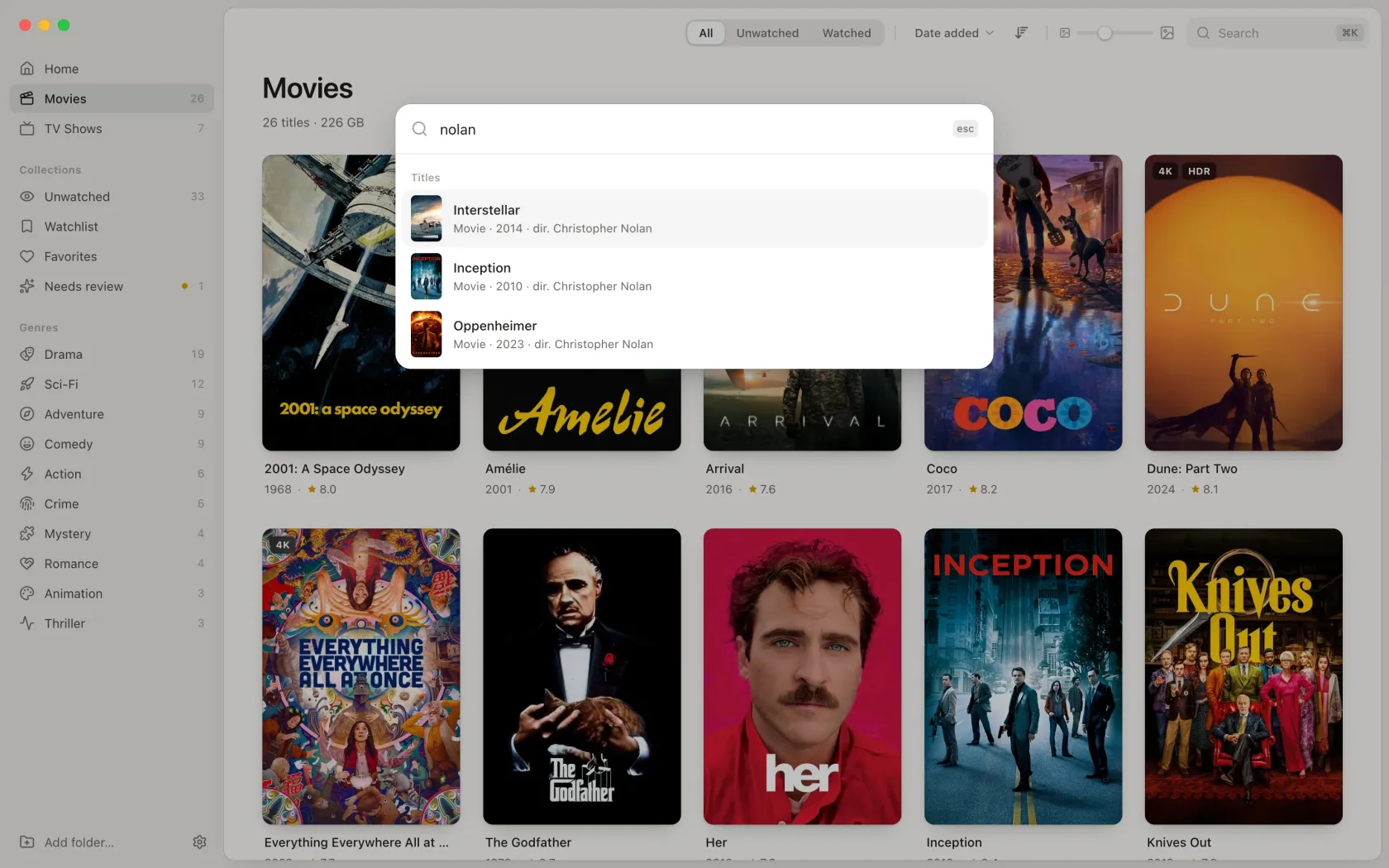
⌘K finds anything.
Titles, actors, directors and genres, from anywhere in the app. Type “nolan”, get Nolan.
Your whole shelf, at a glance.
Sort, filter and resize posters. Right-click anything to mark it watched or show it in Finder.
The little things, done right.
Watches your folders
New downloads show up on their own. Deleted files quietly disappear.
Unplug-friendly
External drive disconnected? Your library stays put, marked offline.
Works offline
Artwork is cached on disk after the first look.
Asks when unsure
Anything it can’t identify confidently lands in a review queue. One search to fix.
Watchlist & favorites
Plus your own star ratings, per-episode watched state and “Continue watching”.
Light & dark
Follows your Mac, with a native translucent sidebar.
Hands off your files
Never renames, moves or deletes anything. Ever.
No accounts, no tracking
Nothing to sign up for. No analytics in the app.
Tiny and fast
Built with Rust and Tauri. An ~8 MB download that opens instantly.
Powered by TMDB and TVMaze
Posters, backdrops, cast and episode guides come from TMDB, with TVMaze as a backup for shows. No API keys to paste, no accounts to create.
This product uses the TMDB API but is not endorsed or certified by TMDB.
- TMDB
- TVMaze
Questions
Is it free?
Yes. Movie Monkey is free and open source. There’s no subscription, no account and nothing to unlock.
Does it play videos?
It hands files to the player you already use, like IINA, VLC, QuickTime or Infuse, and keeps track of what you’ve watched.
Where does the information come from?
From The Movie Database (TMDB): titles, posters, backdrops, cast, age ratings and episode guides. TVMaze steps in for shows when TMDB can’t help. You don’t need an account or an API key. Only titles are looked up; your files never leave your disk.
What if it gets something wrong?
Every title has a “Fix match” action: search, click the right one, done. Files it isn’t confident about are never guessed; they wait in Needs review.
Will it rename or reorganize my files?
No. Movie Monkey only reads your folders. Your files stay exactly where and how you keep them.
Windows or Linux?
Mac comes first. The app is built on Tauri, which supports Windows and Linux too, so builds for those are planned.
What happened to the old Movie Monkey?
Version 1 was an Electron app from 2017. Version 2 is a ground-up rewrite with a new engine, a new design and much better identification.
Which Macs does it run on?
Any Mac with macOS 13 Ventura or later, Apple Silicon or Intel. It’s signed and notarized by Apple, so it opens like any other app. Windows and Linux versions are on the way.
Is it finished?
Not quite. This is the first alpha of Movie Monkey 2, so expect a few rough edges. If something looks off, open an issue on GitHub.

Give your movies a home.
Free, open source, and ready in under a minute.
macOS 13 or later · Apple Silicon and Intel · Free and open source